
 Mon - Sat 9.00 - 19.00. Sunday CLOSED
Sale!

Related products
-
Sale!

Fullstack Food Delivery Web Development Training – Redux Config...
🔥 In Part 23 of the Fullstack Food Delivery Web Development series, we set up
Add to cartQuick Buy -
Sale!
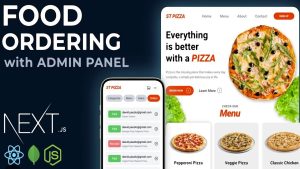
Fullstack Food Delivery Web Dev – README File Config (Project D...
🔥 In Part 5 of the Fullstack Food Delivery Web Development Training, we’ll create and configure a professional
Add to cartQuick Buy$145.00 -
Sale!
Fullstack Food Delivery Web Development Training – Fetching...
In the context of Fullstack Food Delivery Web Development, Fetching Products Pushing to store likely refers to a process or function responsible for retrieving ...
$325.00 Add to cartQuick Buy -
Sale!

E-Commerce Hybrid App Development Training – TailwindCSS Config...
🔥 In Part 9 of the E-Commerce Hybrid App Development series, we focus on $180.00
Add to cartQuick Buy